Gin Score Tracker
Gin Score Tracker, was and is, my first mobile app.
It was designed to enhance the experience of playing Gin by allowing
users to track scores, manage multiple games, and review past games
— all within a clean, intuitive interface.
Project Purpose & Goal
Gin Score Tracker is a personal project born out of my love for playing Gin with family
and the need for a better way to keep track of our scoring. I wanted to create a tool
that would make it easy to log scores, manage ongoing games, and look back
at past sessions without the discontinuity of paper and pen.


Stack & Explanation
For Gin Score Tracker, I chose a tech stack that balanced simplicity and functionality.
It is built with React Native allowing me to build
a cross-platform app from a single codebase,
ensuring smooth performance on both iOS and Android.
Expo Go simplified the building process by managing
the underlying environment and native aspects,
letting me focus on functionality.
For styling, I used NativeWind, which brings the
utility-first approach of Tailwind CSS to React Native.
This helped keep the UI consistent, responsive, and quick to iterate.
Visually, I leaned into a Neo Brutalism UI — embracing bold colors, thick borders,
raw geometry, and a deliberately 'unpolished' aesthetic
that feels both nostalgic and modern
Problems & Thought Process
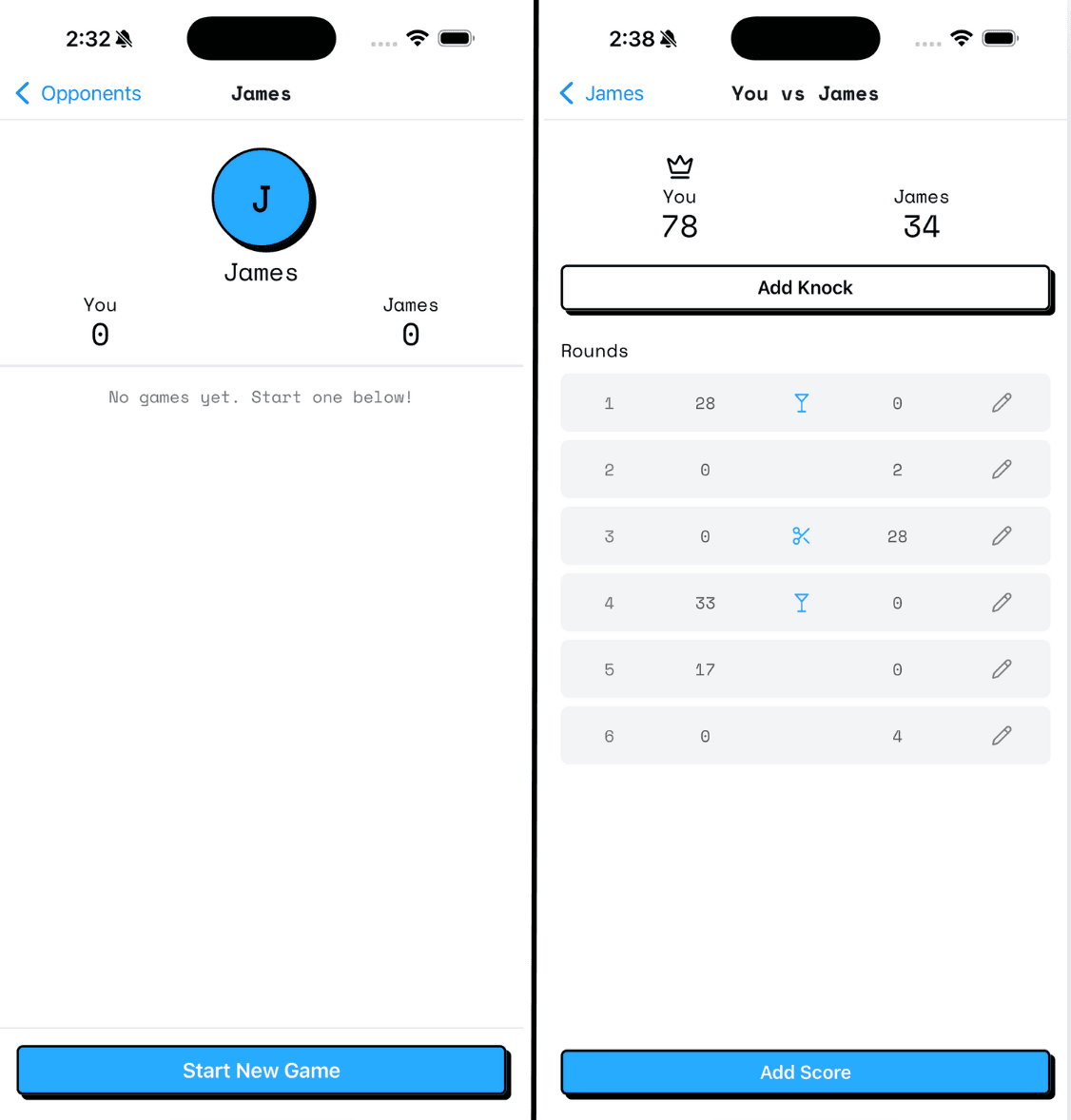
One of the main challenges I faced was ensuring
that the score tracking was accurate and user-friendly.
I had to implement a system that could handle
multiple variants of the game while remaining easy to understand.
Another challenge was designing an interface that worked well
for non-technical users - including older family members and friends who play Gin.
Lessons Learned
This was my first fully shipped mobile app — and what made me my first internet dollar.
I learned how to scope a project tightly, prioritize user experience, and ship before it's “perfect.”
It also taught me the process of submitting an app to the App Store,
using local storage for persistent data, and gathering feedback from real users.
Choosing a small but meaningful idea that solved a real need —
in this case, for friends and family — made development faster and more focused.
However probably the most important thing I've learned from launching this app is that I am an app developer.
I am not only capable but I'm becoming more confident in my ability to create the products I want to see in the world.